Designing for Skin: What Digital Artists Can Learn From Tattoo Design in the Age of AI
By Team BlackInk
A digital illustration is finished when it looks right on the screen. A tattoo design is finished when it will still look right on a shoulder years from now.
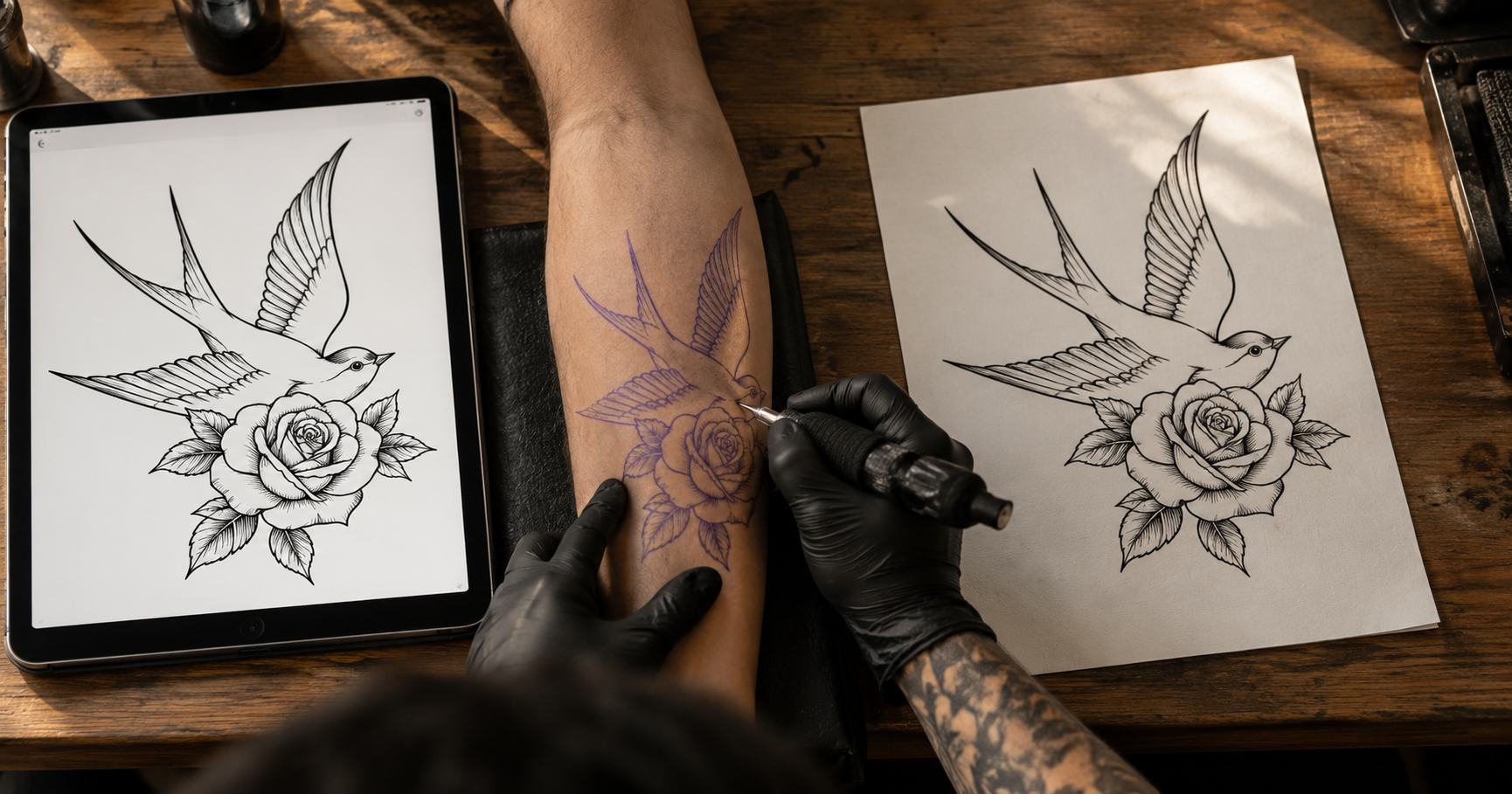
That gap makes tattoo design an unusually demanding branch of digital art. Many tattooers now draft on iPads, using the same apps as illustrators, yet the file they produce is really a set of instructions. It has to be carried out by hand, healed by the body and read by other people for a long time afterward.
This article looks at the constraints that shape those instructions, a practical route from sketch to stencil, and where AI concept tools help and where they stop. If you draw digitally, most of it will carry over to your own work.
Why Tattoo Design Is Its Own Kind of Brief
A tattoo is less an image than a plan for depositing pigment into living tissue. The tissue heals, shifts and ages, and the design has to allow for all of that.
For the artist, design is also the least billable stage of the job. Hours spent on a concept that gets rejected earn nothing. Flash existed largely to solve this. An artist drew a sheet of designs once, priced them, and tattooed the same swallow, panther or rose many times, so clients chose from a wall instead of describing something in words.
Custom work brought the problem back in a new form. Clients now arrive with folders of saved images and ask for something like these, but different. A saved image says very little about intent. It does not show whether the client responded to the subject, the line weight, the composition or the placement, so the artist draws, presents and learns where the mismatch was only after the drawing exists.
Illustrators will recognize this. A vague moodboard produces the same revision loop in client work. The difference is that a wrong guess in tattooing ends up as a permanent mark, which raises the value of getting the brief right early.
Four Constraints a Screen Will Not Show You
None of these appear in a rendered image, which is why a design can look finished on screen and still need real work before it is ready for skin.
Ink spreads
Tattoo lines often soften and broaden slightly over the years as pigment settles in the skin. Bold linework generally holds its shape best, while fine, tightly spaced detail is most at risk of merging. A design built from hairline strokes can look precise on screen and lose legibility later. Artists compensate by thickening lines, opening up negative space and leaving out detail that will not hold. Separately, ink placed too deep can blur at the time of tattooing, which is a matter of technique rather than design.
Skin is not a plane
A design has to be composed for a curved, moving surface. A layout that reads cleanly on a forearm can distort across a ribcage or bend awkwardly around a shoulder. Placement is therefore a compositional input from the first sketch, not a crop applied afterward. This is why body-placement templates and photos of the actual area are so useful during drafting.
Movement matters too. A pose that looks balanced when the arm hangs straight can shift when it bends, and elements that align in one position can drift apart in another. Checking a design against photos taken in more than one position catches many of these problems early.
Scale means sessions
Large pieces cannot be treated as single images. Sleeves, backs and chest pieces are planned across several sittings, with flow running through the limb and room left for work that has not been commissioned yet. Each session has to feel resolved on its own while still belonging to the whole. A flat composition has no idea where a sitting ends, so someone has to break it up.
Styles carry rules
Established tattoo styles come with conventions that exist for legibility over time. American traditional work is known for bold outlines and a limited palette. Dense black areas are often built up across sessions rather than all at once, because worked skin needs time to recover. Anyone trained in a style can spot output that ignores its conventions, however appealing it looks at first glance.
A Sketch-to-Stencil Workflow in Procreate
If you already draw in Procreate, you have most of what the process needs. Procreate runs only on iPad, and Photoshop or Illustrator follow the same logic. A workable sequence looks like this:
Set up the canvas sensibly. Resolution is fixed when the canvas is created, and larger pixel counts reduce the number of layers your iPad allows. Small pieces can be drawn at full size. For larger ones, an A4 or A3 canvas at 300 DPI is usually enough, with scaling handled at print time.
Start from the placement. Use a body-placement template or a photo of the area to plan proportions and flow before committing to the drawing.
Keep line art on its own layer. Sketches, shading references and color notes can live on separate layers, so the final outlines are easy to isolate later.
Draw for legibility. Thicken lines where the design needs to last, open up the spaces between details and simplify anything that would crowd.
Export a line-only version. Hide everything except the outlines and export a high-contrast PNG. Artists differ in what they prefer, so ask the person who will tattoo the piece which format they want.
Print and check at real size. A thermal stencil printer or a hand transfer both work. Exports can carry the wrong DPI tag, so measure the printed stencil against the planned placement instead of trusting the file, then hold it against the body area or a photo of it to see where lines crowd or the flow breaks.
The order stays the same whatever the subject. Scale and placement come first, detail comes last, and every step protects the line art that ends up on skin.
Where a Tattoo Generator Fits
Generative tools are most useful at the very start, before anyone opens a drawing app. Their value is sequencing. A designer or client can explore subject and composition quickly, discard what does not work, and reach the drawing board with a narrower question.
A simple way to use them is to generate three or four directions with an AI tattoo generator. Here is a list of the best AI tattoo generators. It compares seven tools on style accuracy, body preview and stencil output, which makes it a useful place to start. One of them is Blackink AI, which generates tattoo concepts from a written description, offers a range of tattoo-specific styles and can show a design on a chosen body placement. For a digital artist, the placement preview is the most useful part, because it lets you test scale and composition before you open a drawing app.
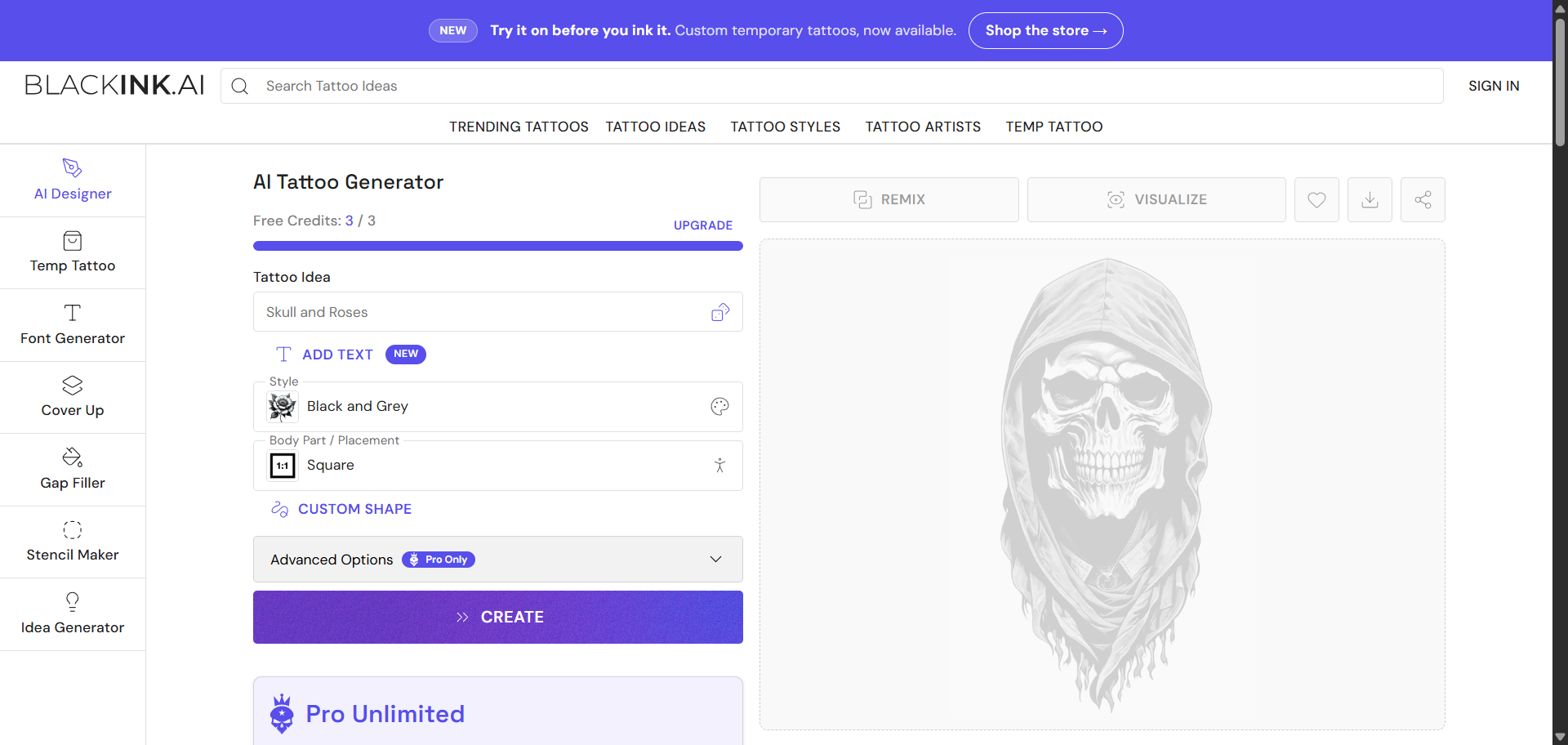
Once you have your directions, choose the ones that feel closest and write down one thing you would change about each. That last step matters most. Producing images is easy. Putting into words what is wrong with an image turns a vague preference into a usable brief, and it happens before anyone spends hours drawing.
From there, the constraints take over. Lines get redrawn heavier, detail is simplified, the composition is fitted to the placement and larger work is divided into sessions. Generated images often need substantial reworking at this stage, because they tend to be built to impress on a screen rather than to age well on skin. Expect to redraw more than you keep.
The same habit works for illustrators exploring tattoo work for the first time. Generating a handful of compositions in different styles is a quick way to see how a subject changes between bold traditional lines and delicate fine line, and which version suits the placement you have in mind. Treat these as studies. The useful question is not which one looks best, but which one you could redraw so that it survives the four constraints above.
The generated image is a brief, not a tattoo. It describes what the piece might become, and the design work is what turns that description into something that can be carried out. Treating it that way keeps expectations realistic for everyone involved.
From Author to Editor
As concept generation gets cheaper, the valuable skill moves toward judgment. Knowing which of forty concepts can be made to work on the body in front of you, and what has to change before it will, is editorial and technical work. It draws on the part of the craft that takes longest to learn.
Drawing and tattooing have always been partly separable skills. Plenty of technically excellent tattooers work mainly from flash or from designs drawn by others. Generative tools widen that gap, and they make the ability to evaluate a design more visible.
An open question sits with newer artists. Visual judgment has historically been built through years of drawing badly before drawing well. If that stage compresses, it is not obvious what replaces those repetitions. Other fields, including illustration, are asking versions of the same question.
Attribution is also unsettled. Styles are not owned, but individual artists have recognizable hands, and concepts can now be generated in the manner of a named artist. The trade's etiquette discourages copying another artist's custom work, but that norm formed when copying took real effort and skill. There is no settled position yet on what happens when it takes neither.
What to Keep in Your Own Hands
Three habits protect the work:
Do not present generated images as portfolio work. A portfolio is evidence that you can execute, and concepts you have not made weaken that evidence.
Keep final linework and placement decisions with the artist. These are the decisions the body will reveal over time.
Credit and consent still apply. Ask before using a client's reference material, and acknowledge influences instead of generating work in another artist's name.
The Design Ends Where the Skin Begins
Tattoo design rewards artists who design for constraints: line weight that survives, compositions that follow the body and work planned in sittings. A workflow that protects the line art keeps the design intact all the way to the stencil. AI helps most when it starts the conversation rather than when it tries to finish it. The screen is where the design begins, and the skin is where it is judged.
![Project Spotlight: pifmgr.dll’s [M]ETAL✨ @pifmgr.dll is a digital artist working at the intersection of audiovisual design, 3D experimentation, and atmospheric world-building. His project [M]ETAL explores metal both as a physical material and a](https://images.squarespace-cdn.com/content/v1/63b2fdbe4376de5bfdc6771f/1779108338452-QO04Q3MMJ3VMU8PJV1MD/image-asset.jpeg)